
Quick actions make banking easy
Summary.
I led content development for an AI/ML feature that creates personalized shortcuts for the user’s common tasks.
Role.
Content strategy
UX writing
Skills.
Content strategy
Research
Accessibility
Design principles
Team.
Senior Content Designer (me!)
Product Designer
Lead Product Manager
Product Leadership
Powered by a patented machine learning algorithm, this feature analyzes 7 months of the user’s transaction data generating insights we use to present personalized shortcuts so the user can do their frequent transactions faster.
It was important to be transparent about how the feature works, but not slap on “powered by AI”. Instead, I framed it as an analysis of behaviours, focusing on the benefit to the user and not the underlying technology. The design principles were to be transparent but not creepy, and to be helpful but not intrusive.
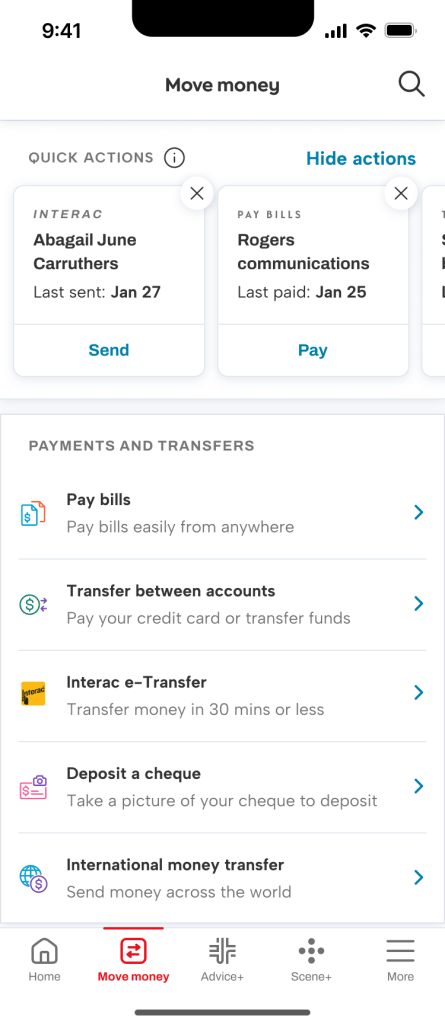
Default state.
Users are shown cards featuring their most frequent transactions, with just enough context to pick an action.
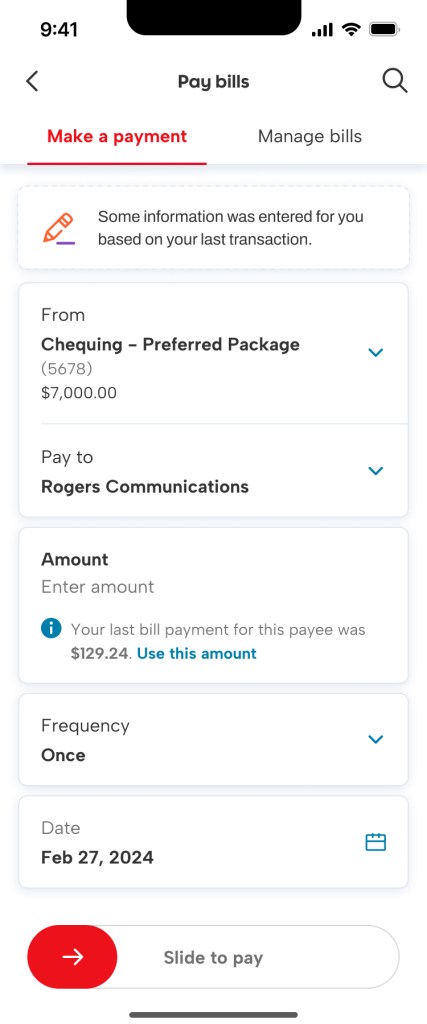
Taking an action.
The user selects a card, and the app pre-fills the screen with details from the last time they did this transaction.
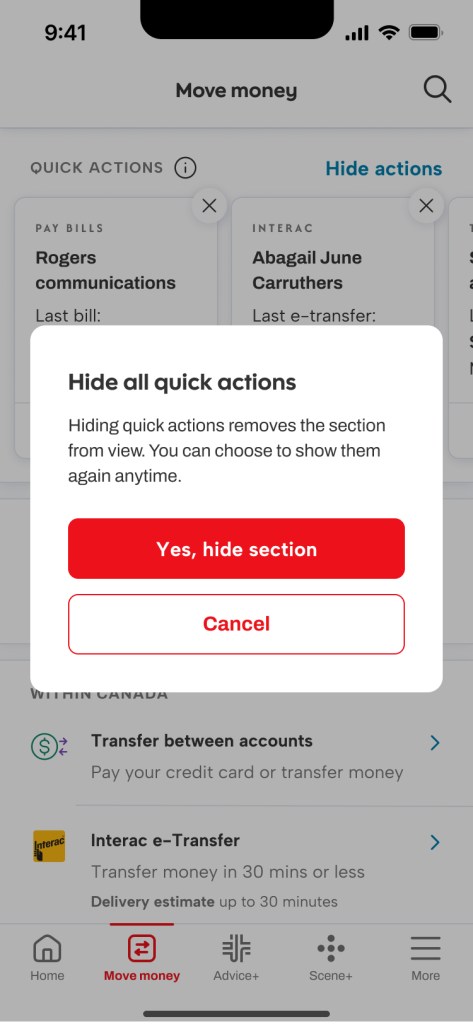
Hide actions.
The user can hide the cards if they prefer, and can restore them using a CTA at the bottom of the screen.
 KL Portfolio